
Pharmacy POS & management system · Kenya
Know your pharmacy at a glance.
Sales, stock, expiry, LPOs and supplier balances in one system, so you always know where your pharmacy stands.
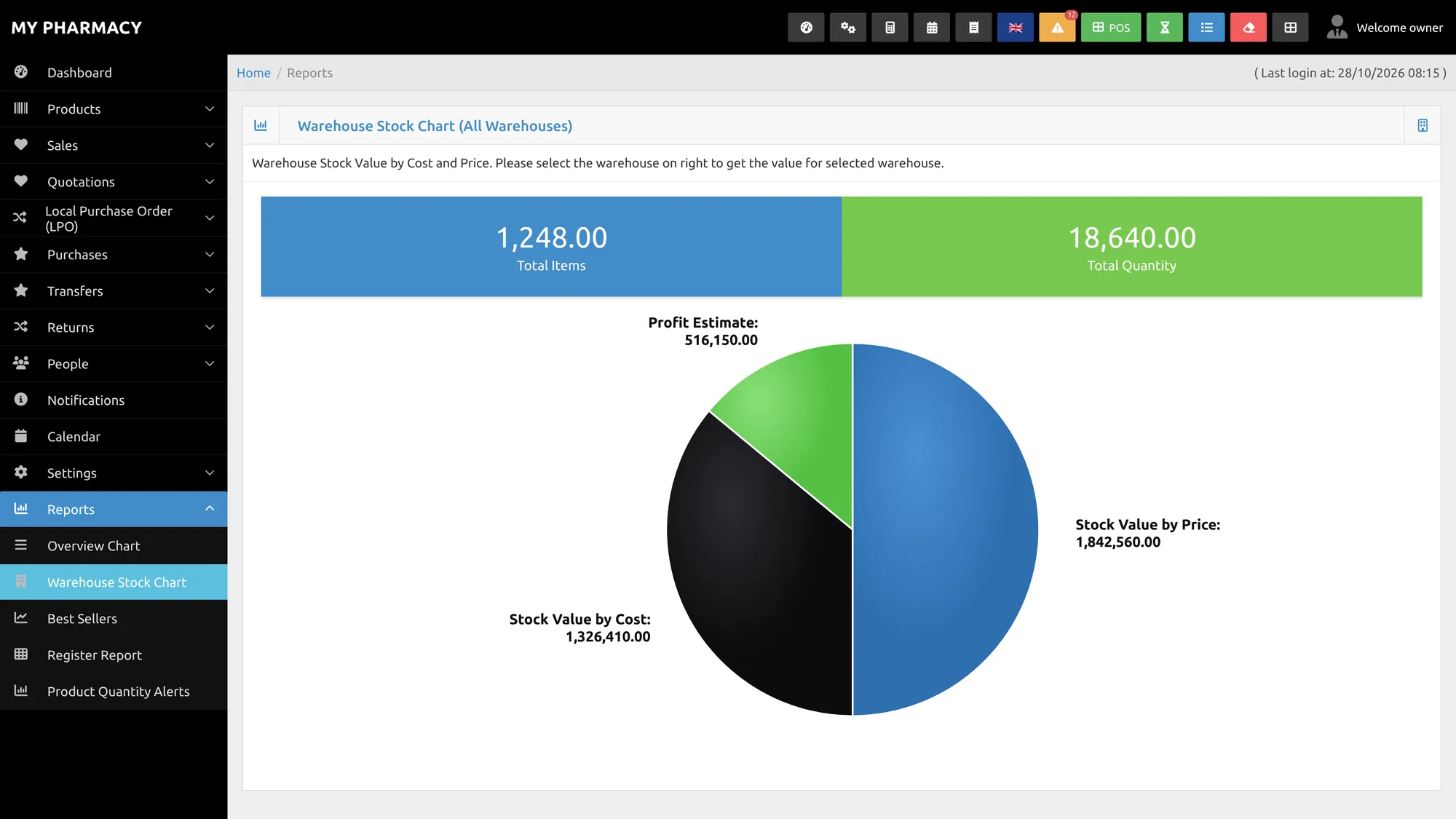
The owner's problem
Running a pharmacy shouldn't mean guessing.
Most owners can't be at the counter all day. Without a clear system, the same questions keep coming back.
Expired stock, found too late
Batches expire on the shelf because nobody saw the date coming.
“Our records say you owe more”
Distributor balances that don't match your own notes.
Fast movers out of stock
You find out when a customer asks and the shelf is empty.
Away, and in the dark
You don't know how today went until you're back at the pharmacy.

Made for busy Kenyan pharmacy counters.
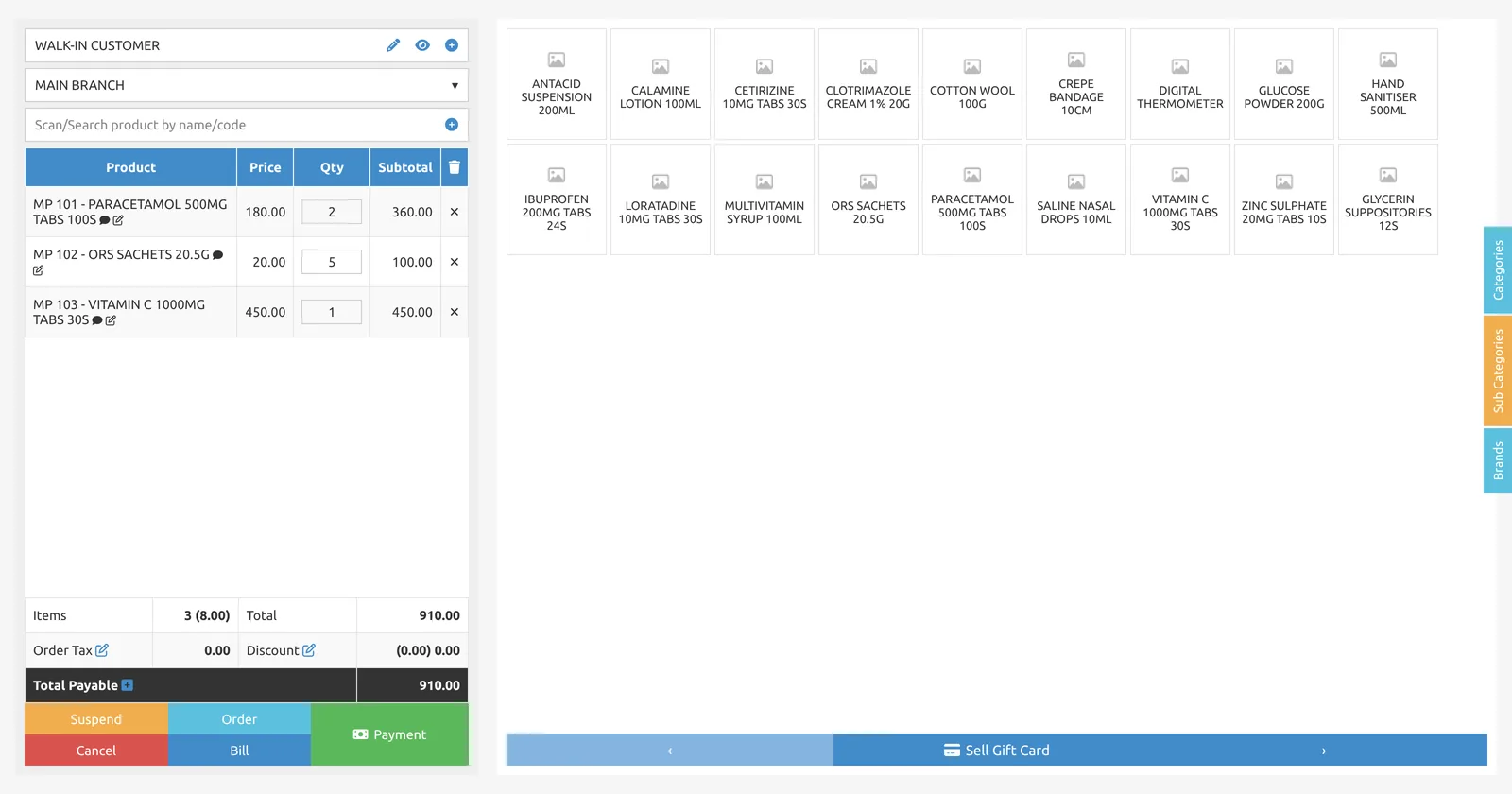
- Scan or search a product, add it, take payment.
- Hold a sale while a customer decides, and serve the next one.
- M-Pesa payment prompt on the customer's phone.
The Hornbill way
One system, from the counter to the back office.
Hornbill POS runs your sales, stock, purchasing and reports together, and shows you, the owner, what it all adds up to.
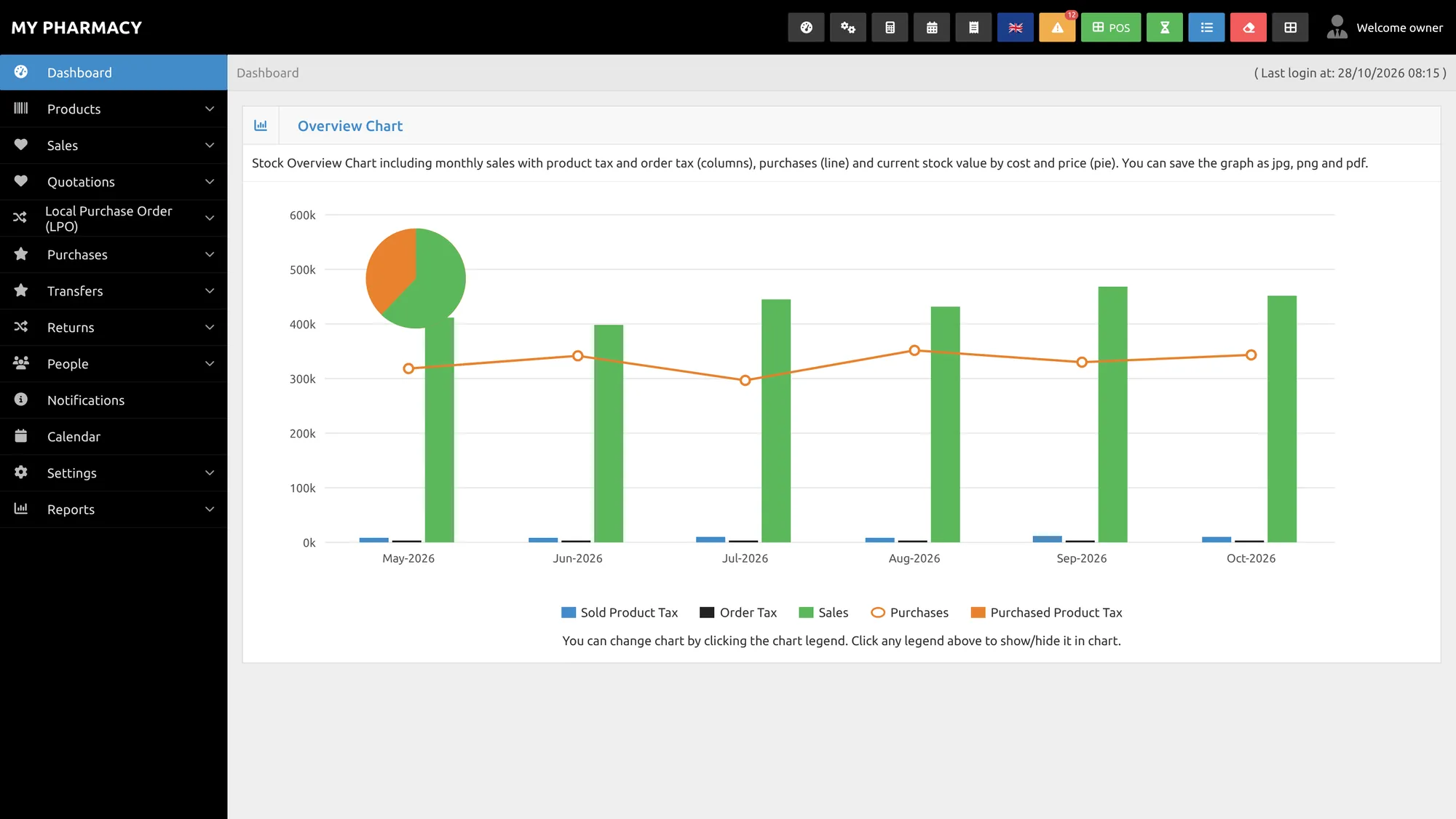
Every batch. Every expiry. Counted down for you.
- Batch number and expiry date on every product, with the months remaining shown for each batch.
- A product expiry alerts report lists what's about to expire, soonest first, across all your locations.
- Set a reorder level for every product and get low-stock alerts before the shelf runs empty.
- Stock counts and adjustments, without the exercise book.
“I don't have to worry about expired stock anymore! Hornbill POS flags them out automatically.”
Pharmacy owner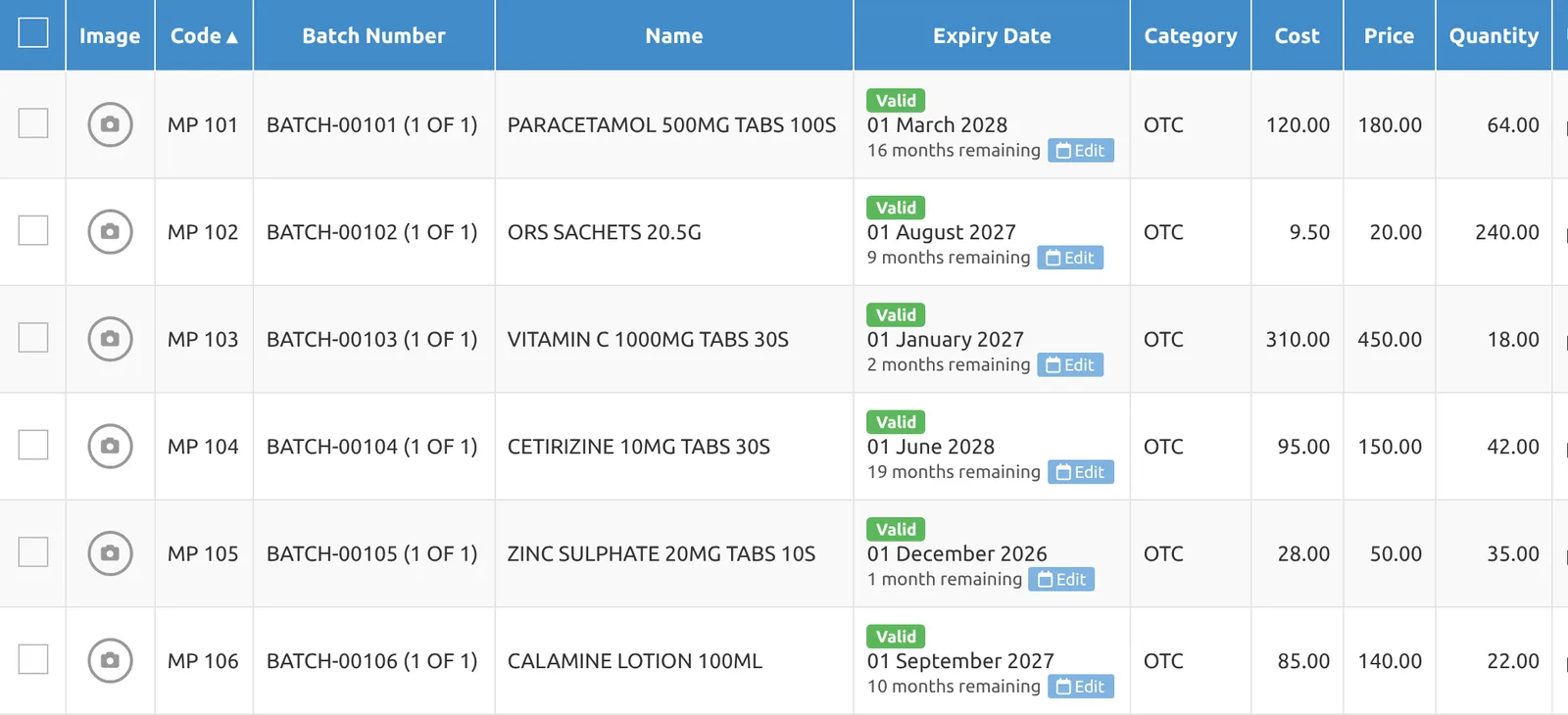
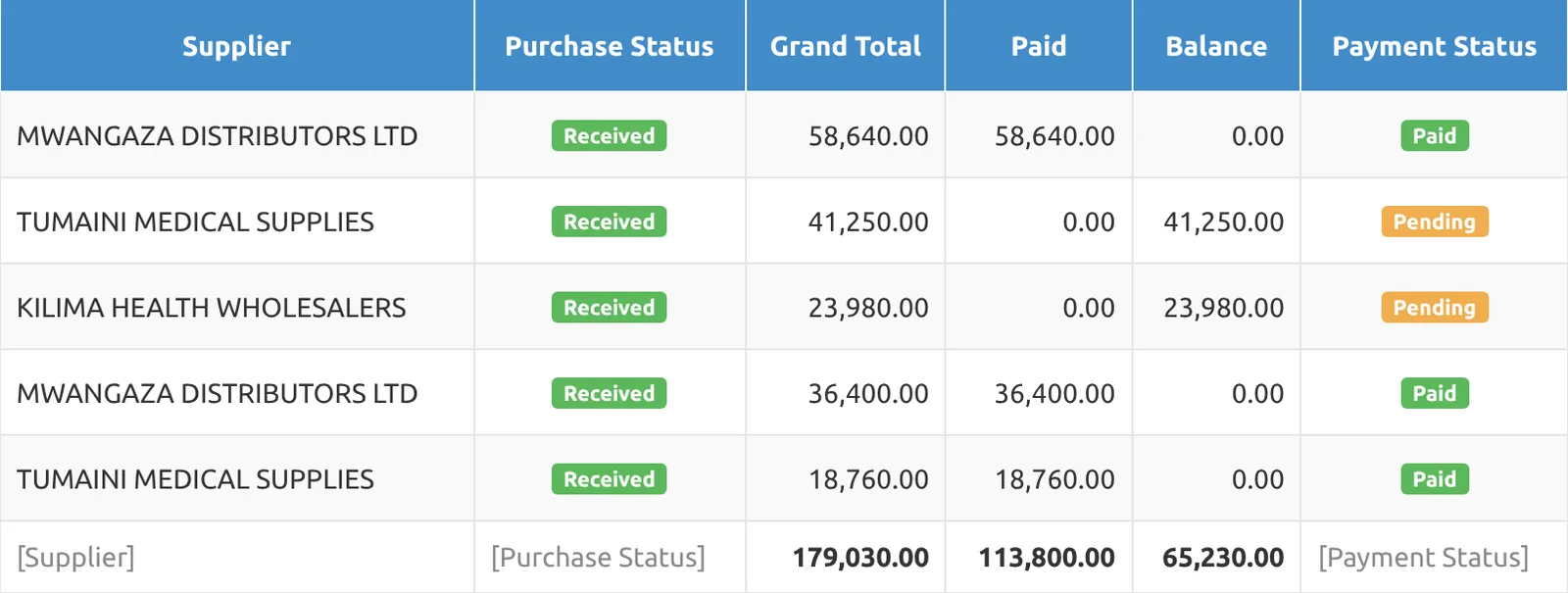
Know what you owe every distributor.
- Raise LPOs with the supplier, payment terms, expected delivery date and every line, on record.
- Every purchase tracked by paid, balance and pending, per supplier.
- A clean supplier trail, useful now that KRA expects eTIMS invoices behind your expenses.
“The LPO management feature is also a life saver to me as the owner! No more payment disputes with suppliers!”
Pharmacy owner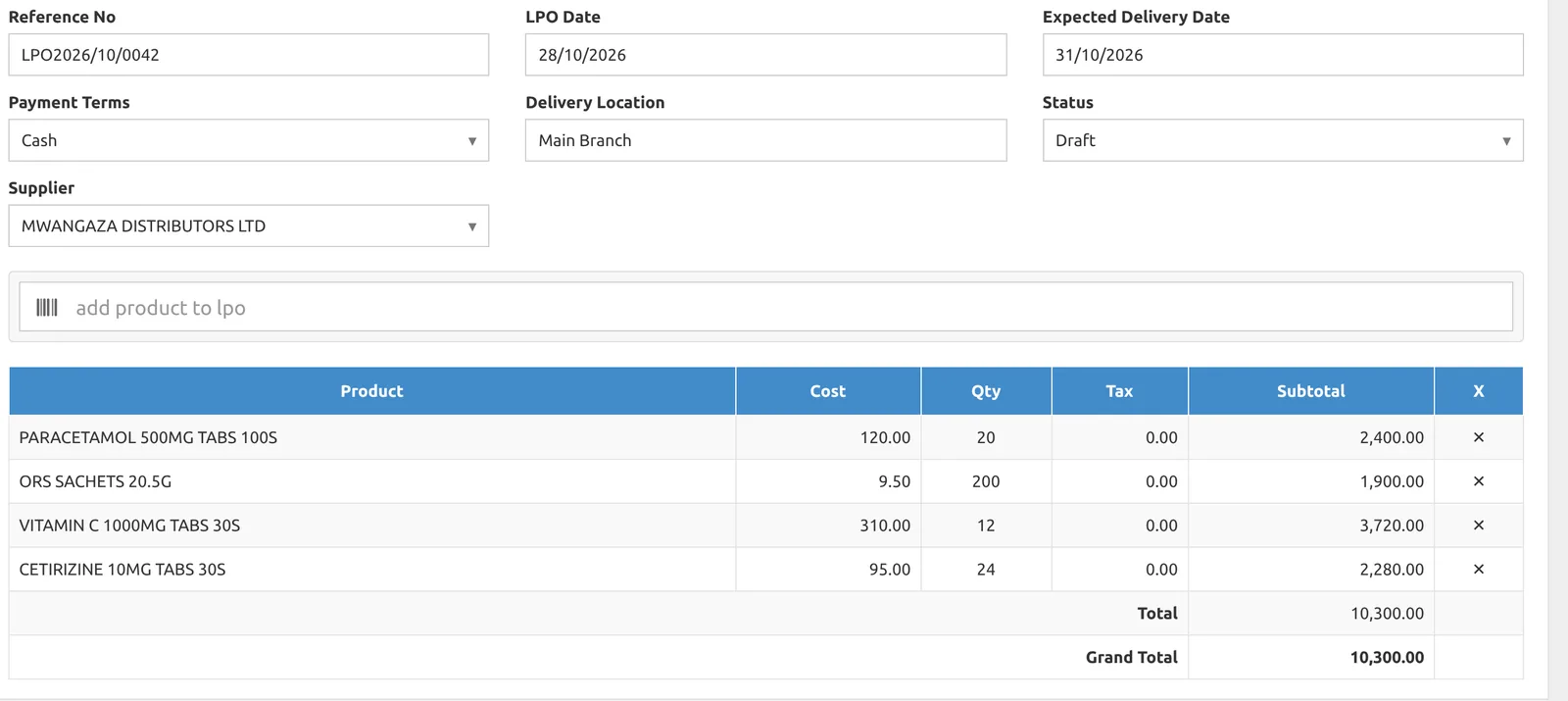
When you're not at the counter
Know how your pharmacy is doing, wherever you are.
The daily sales SMS, your reports on your phone or laptop, and every branch in one system.

Daily sales by SMS
A summary of the day's sales on your phone, every day.
From your phone or laptop
Open Hornbill from wherever you are and check the numbers.
All your branches
Manage every branch in one system, with stock per location and transfers between them.
The right access for each person
Give each staff member access to what they need, and see the staff report.
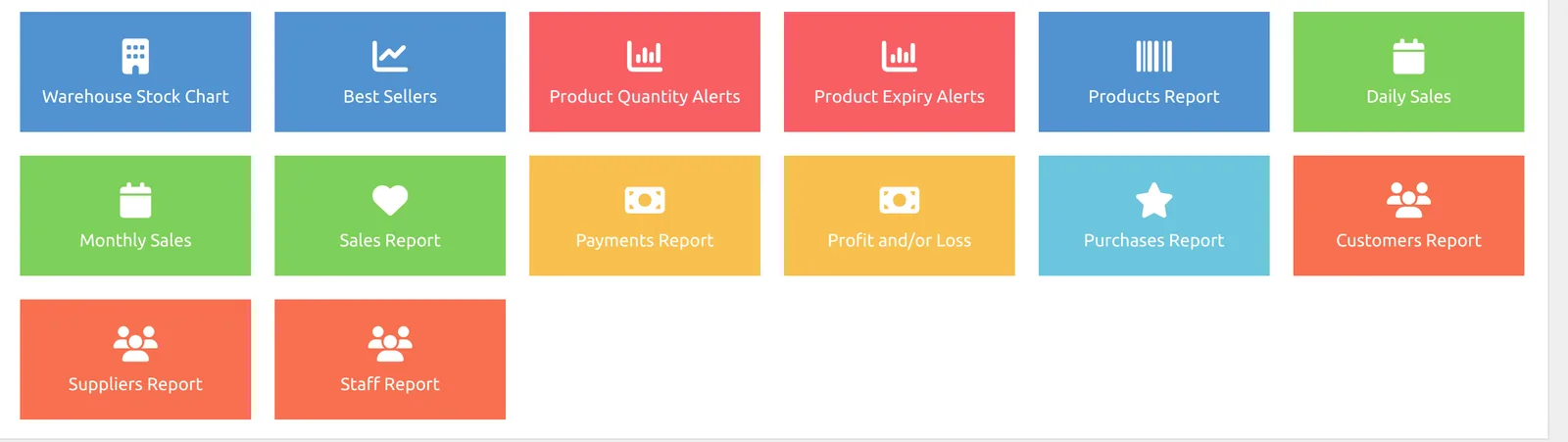
15 reports. Zero spreadsheets.
Daily and monthly sales, best sellers, profit and loss, payments, purchases, customers, suppliers and staff. One click each, and every list downloads to Excel or PDF for your accountant.
At the till
Get paid, stay compliant, keep selling.
M-Pesa payment prompt
Customers get a payment prompt on their phone at checkout.
eTIMS integration
Issue eTIMS invoices from your counter.
Customer credit
Track customer credit and balances, so you know who owes you.
Works offline
When the network drops, your counter keeps working.
How a pharmacy runs on Hornbill
From the distributor to your phone.
Use what you have, or get it all from us.
Hornbill works with your existing hardware. Or we supply and install a full counter setup, with installation included in setup and warranty and replacement handled by us.
Receipt printer
Barcode scanner
Cash drawer
Customer display
Android POS terminal
Label printer
Setup & support
We set it up and stay with you.
No DIY. One team handles setup, your data, training and support.

- Tell us about your pharmacy
A WhatsApp chat or call: outlets, tills, staff and what you use today.
- We understand your requirements
We walk through how you buy, stock and sell, and show Hornbill on your own products.
- We configure Hornbill
Set up for your pharmacy, including any customisation agreed in the scope.
- We prepare your data
We load your product list (bulk import) so you don't start from zero.
- We deploy the system
Software live, and hardware installed if you're taking ours.
- We train your team
Counter staff, stock staff and you, until everyone is comfortable.
- We hand over
You sign off when the system is working the way you need it.
- We keep supporting you
Support after handover, with hardware warranty and replacement handled by us.
Every pharmacy is different. Your quote should be too.
We scope your needs, then send one clear quotation: a setup fee plus a monthly or annual subscription. Annual works out cheaper. Hardware is quoted separately or bundled.
Your setup includes
- System configuration for your pharmacy
- Customisation agreed in the scope
- Loading your product list
- Deployment and hardware installation
- Training for you and your staff
- Handover and ongoing support
Questions
Pharmacy owners ask us
Who is Hornbill POS for?
Pharmacy and chemist owners in Kenya who want to see and control their business: sales, stock, expiry, purchasing and supplier balances in one system.
Is it hard to use?
At the counter it's scan or search, add, and pay. During setup we train your counter staff, stock staff and you, until everyone is comfortable.
Do you help with data entry?
Yes. Loading your product list is part of setup. Hornbill also supports bulk product import.
Does it work when the internet goes off?
Yes. Hornbill has an offline mode, so your counter keeps working when the network drops.
Does it have eTIMS and M-Pesa?
Yes. Hornbill has eTIMS integration, and customers can pay with an M-Pesa payment prompt on their phone. We'll show you both during your demo.
Can I check my pharmacy when I'm not there?
Yes. You can open Hornbill from your phone or laptop, and get a daily sales summary by SMS.
I have more than one branch. Will it work?
Yes. Hornbill manages all your branches in one system, with stock held per location and transfers between them.
How much does it cost?
Every pharmacy is different, so we scope your needs first and then send one clear quotation: a setup fee plus a monthly or annual subscription (annual works out cheaper). Hardware is quoted separately or bundled.
Can I use my existing printer and scanner?
Yes. Hornbill works with your existing hardware, or we can supply, install and back a full setup.
See Hornbill working on your own product list.
Send us a WhatsApp message. We'll understand your pharmacy, show you Hornbill with your products, and give you one clear quotation.